4. Verifying
A simulation tries some inputs. Verify considers them all: every value of every input, at every step, as far as it matters. It proves a property, or finds the steps that break it.
Properties
A property is a block of the Verification section of the palette:
- an Assertion is a boolean that must hold at every step;
- a Target is a condition to reach: a situation the circuit must be able to get into, or one you want an example of;
- an Assume block is a condition the inputs keep to at every step: Verify only considers the runs where it holds.
Add two assertions and a target at the top level of the controller:
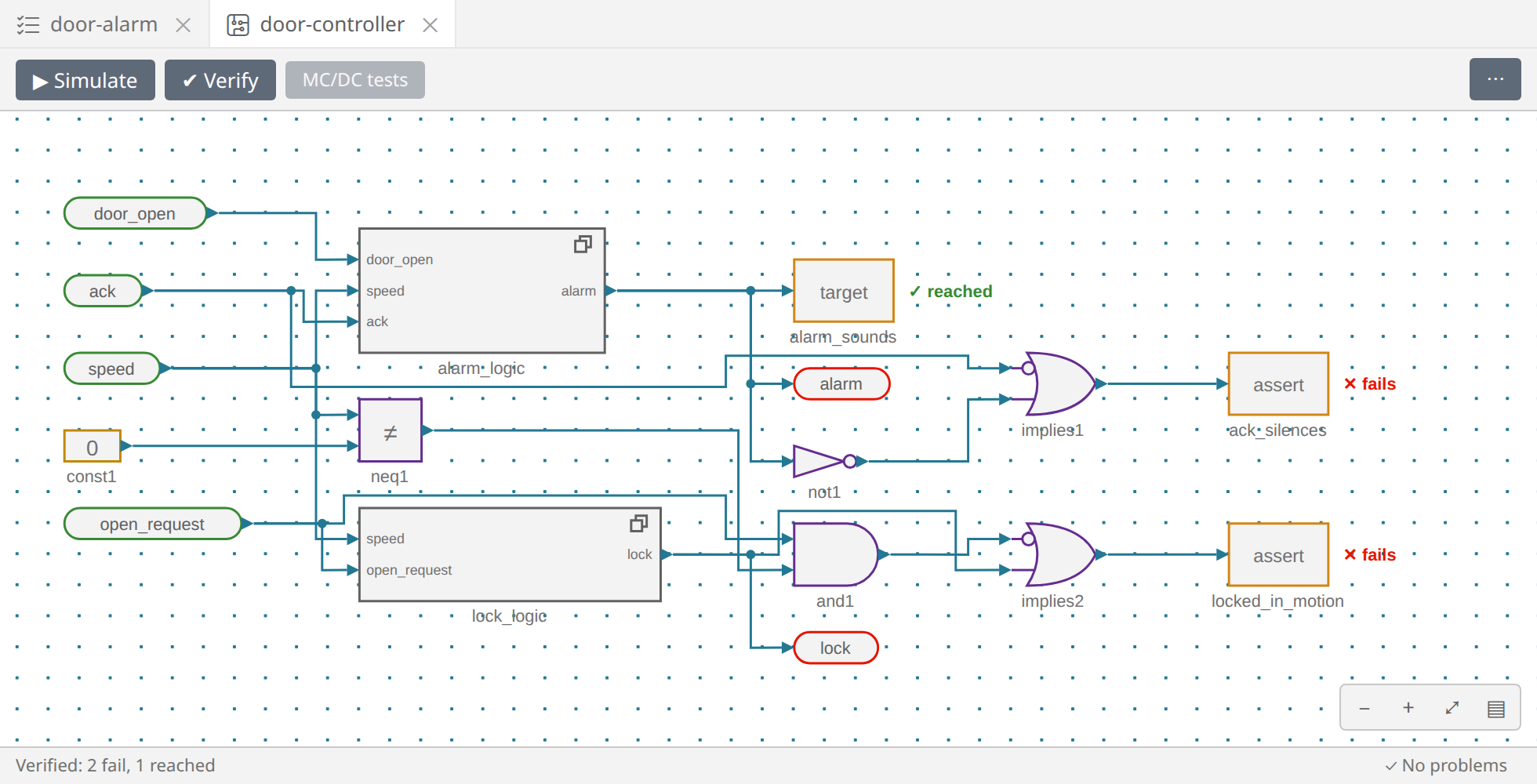
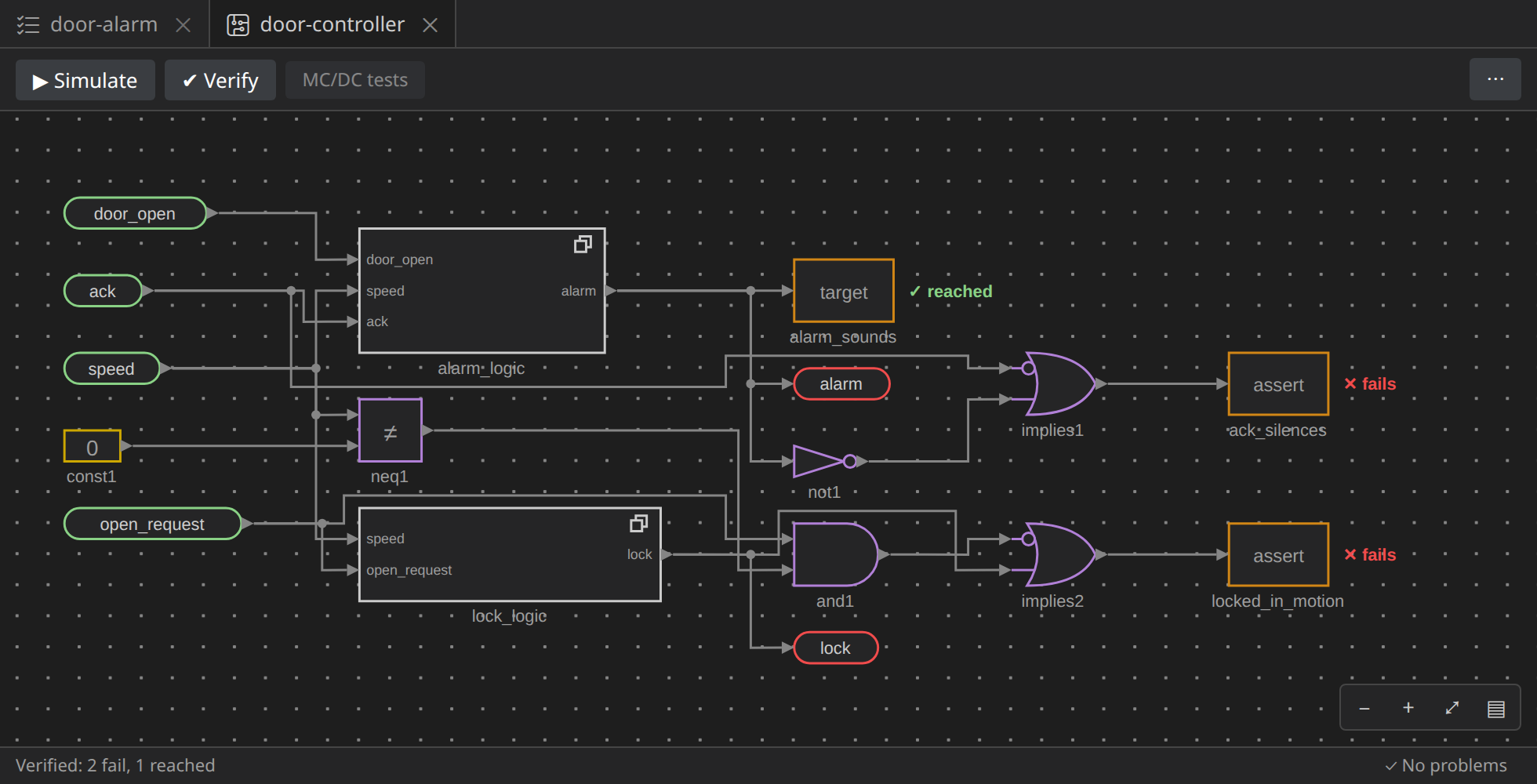
ack_silences: when the driver acknowledges, the alarm is silent. An IMPLIES gate (Logic) withackinto its first input and the alarm, through a NOT, into its second:ack ⇒ not alarm. Wire it into an Assertion namedack_silences.locked_in_motion: a door asked to open while the vehicle moves stays locked. A ≠ comparison ofspeedwith a constant0(int16), an AND withopen_request, and an IMPLIES from that AND to the lock:open_request and speed ≠ 0 ⇒ lock, into an Assertion namedlocked_in_motion.alarm_sounds: a Target wired to the alarm: the alarm can sound at all. A target is a good habit: a circuit whose alarm can never sound satisfiesack_silencestoo, for the wrong reason.
Verify
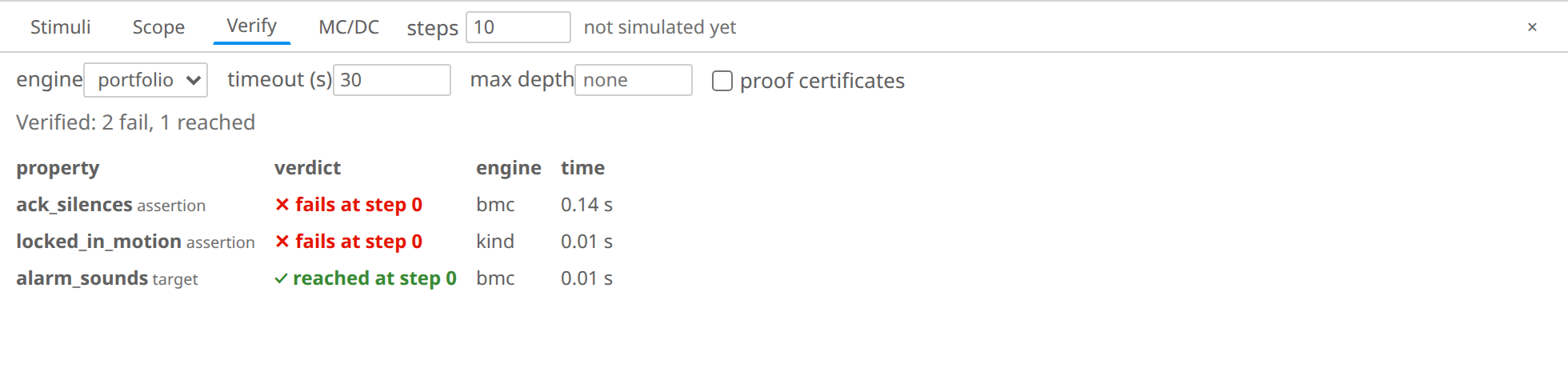
Press ✔ Verify. The panel's Verify tab lists each property's verdict, and the verdicts are written beside the blocks:
- an assertion holds (proved) or fails;
- a target is reached or proved unreachable;
- unknown if no engine answered within the timeout.
The target is reached at step 0: the alarm can sound. Both assertions fail.
The first counterexample
A failing assertion comes with its trace: the steps, from the start, that break it. Click its row (ack_silences): the trace plays on the canvas and in the scope, the cursor on the step where it fails.
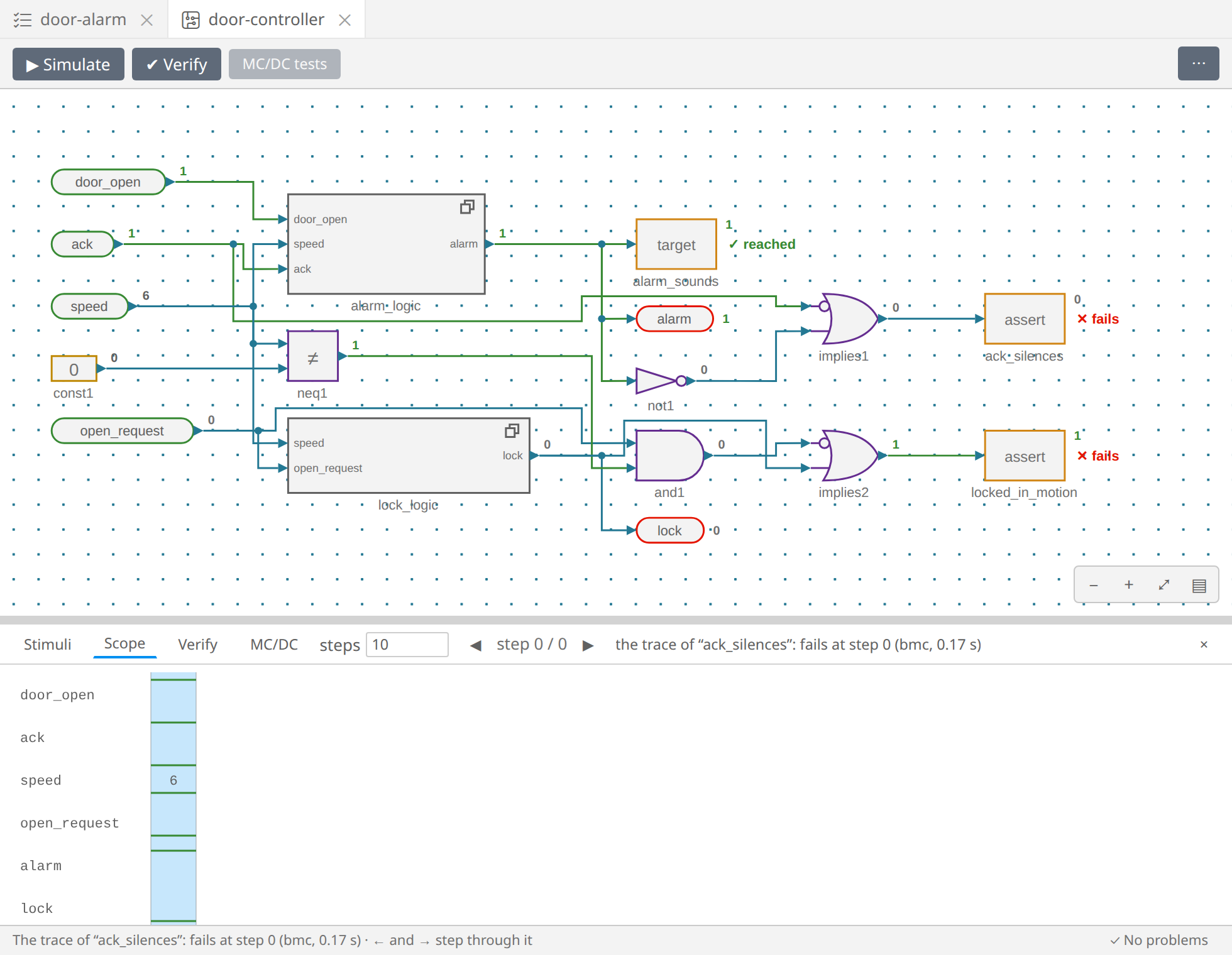
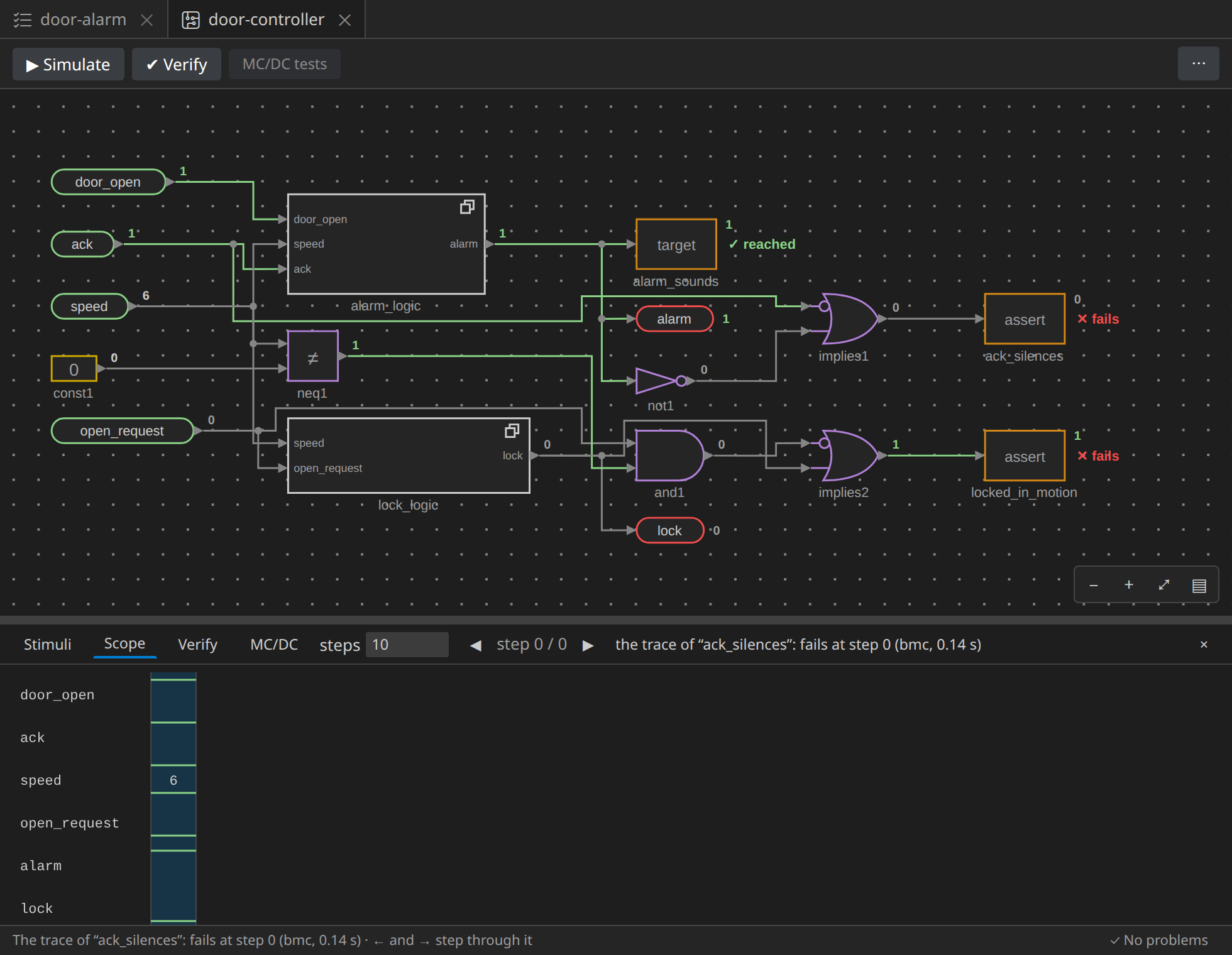
At the very first step, a door is open, the vehicle moves at 6 km/h, and
the driver presses ack, yet the alarm sounds. It is what we saw in the
simulation, at step 3: the alarm stops a step after the acknowledgement.
Why? The RS bistable keeps its state in a latch: its output Q at a step is
what s and r set at the steps before. So Q says the driver has
acknowledged, not is acknowledging. The fix: silence the alarm on ack
itself too.
Double-click alarm_logic, and put an OR of ack and the bistable's
output before the inverter: the alarm is silent when the driver
acknowledges now, or did since the door opened. Go back up (Top in the
breadcrumb) and press ✔ Verify again: ack_silences holds.
The trace's inputs can also become the stimuli: Use as stimuli, in the row's right-click menu, copies them, and ▶ Simulate replays the trace.
The second counterexample
locked_in_motion still fails. Its trace:
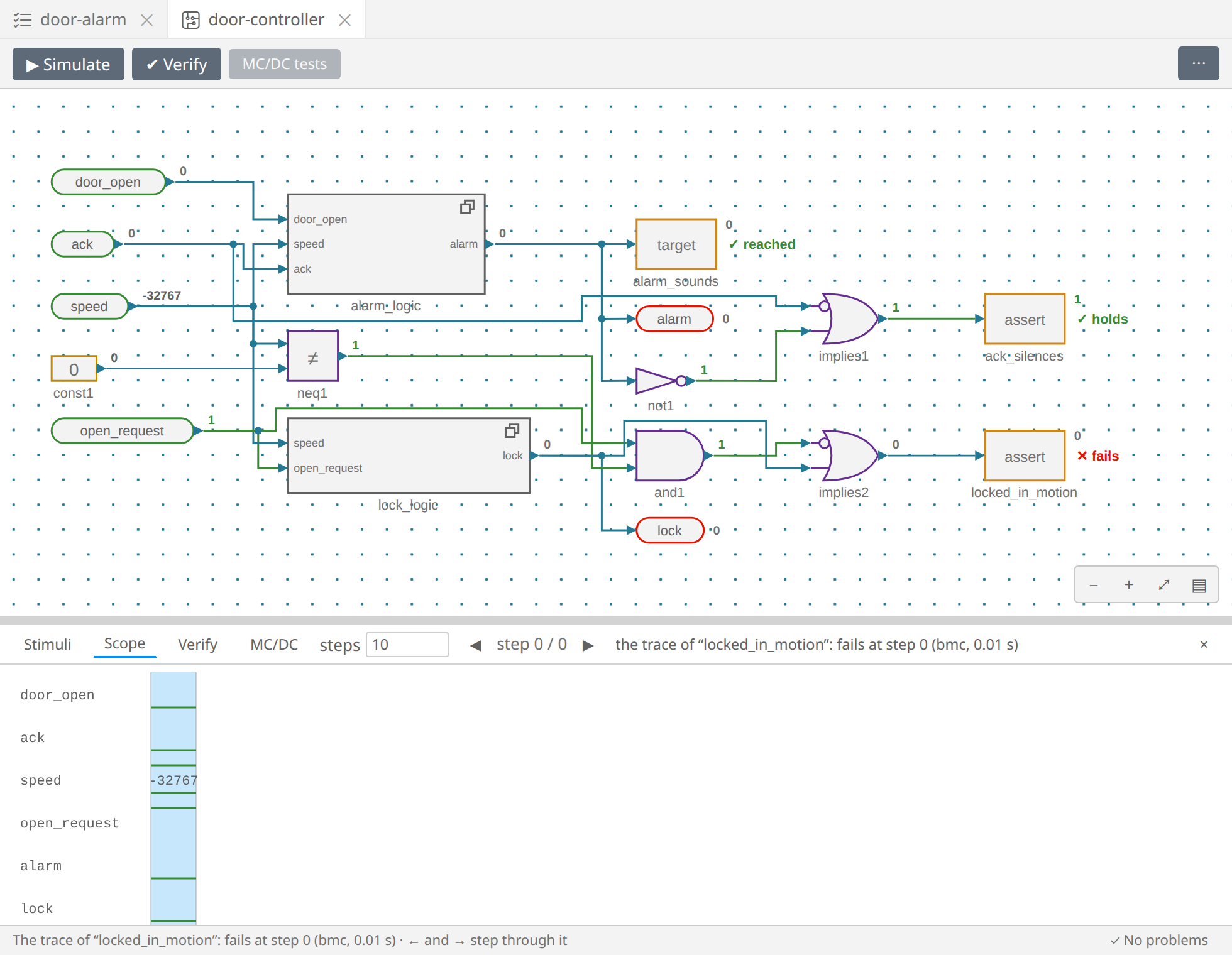
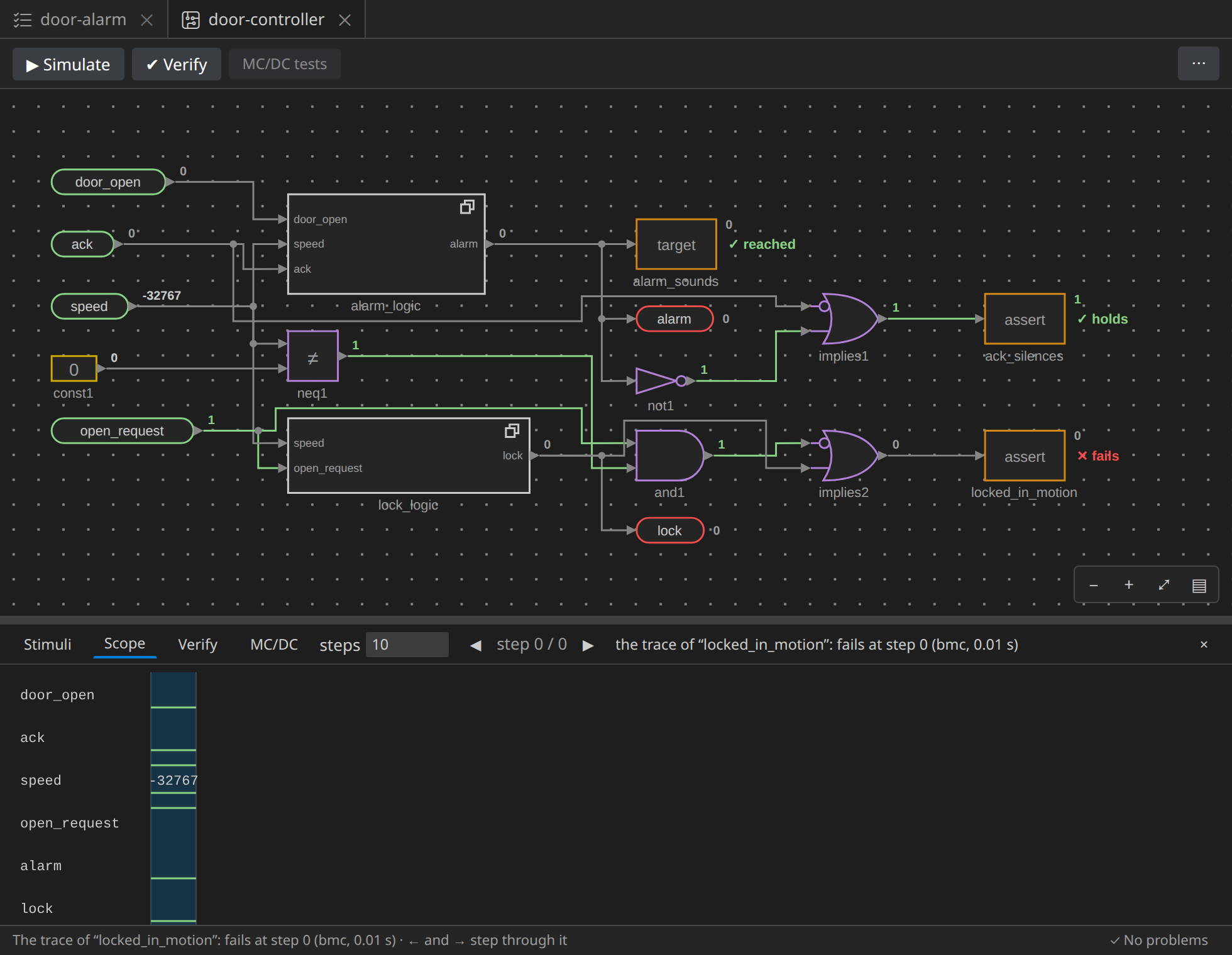
A passenger asks to open, and speed is negative (here −32767; the
engine picks any value that breaks the assertion, so yours may differ). The
lock only looks at speed > 0, so a vehicle in reverse never locks its
doors.
This one is a question for the people who know the vehicle. Either:
speedis signed, negative in reverse: then the design is wrong, and the lock should comparespeed ≠ 0, or- the sensor gives the speed's magnitude, never negative: then the counterexample cannot happen, and the verification should know it.
Say it is the second. Tell Verify with an Assume block: a ≥
comparison of speed with a constant 0, into an Assume named
speed_not_negative. Verify then considers only the runs where the speed
is never negative.
An assumption is a claim about the world
Verify takes an assumption for granted. A wrong one hides real
failures: assume speed > 100, and every property about a stopped
vehicle holds. Keep assumptions few, and make each one something the
environment really guarantees, written down where reviewers see it.
Everything holds
✔ Verify once more:
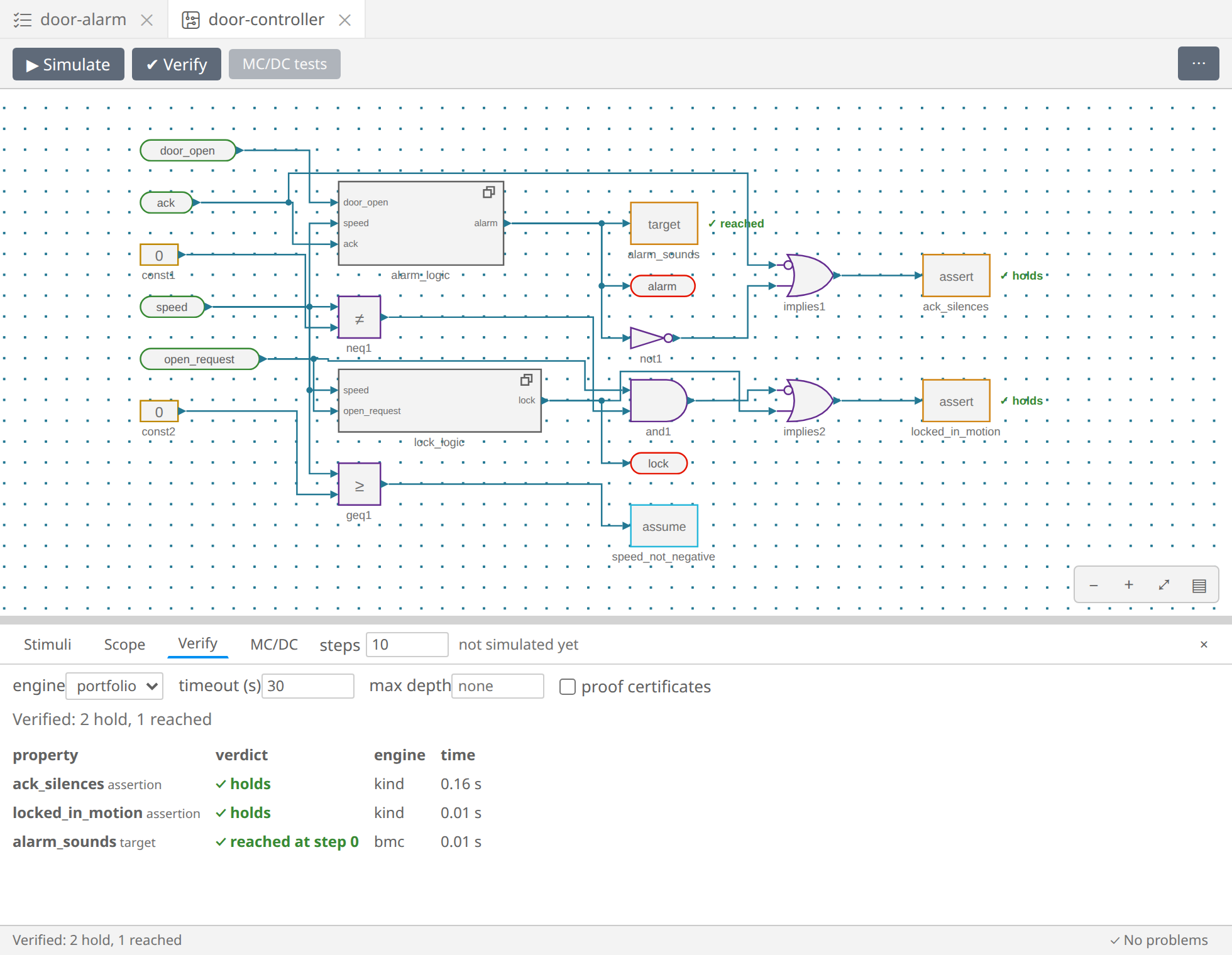
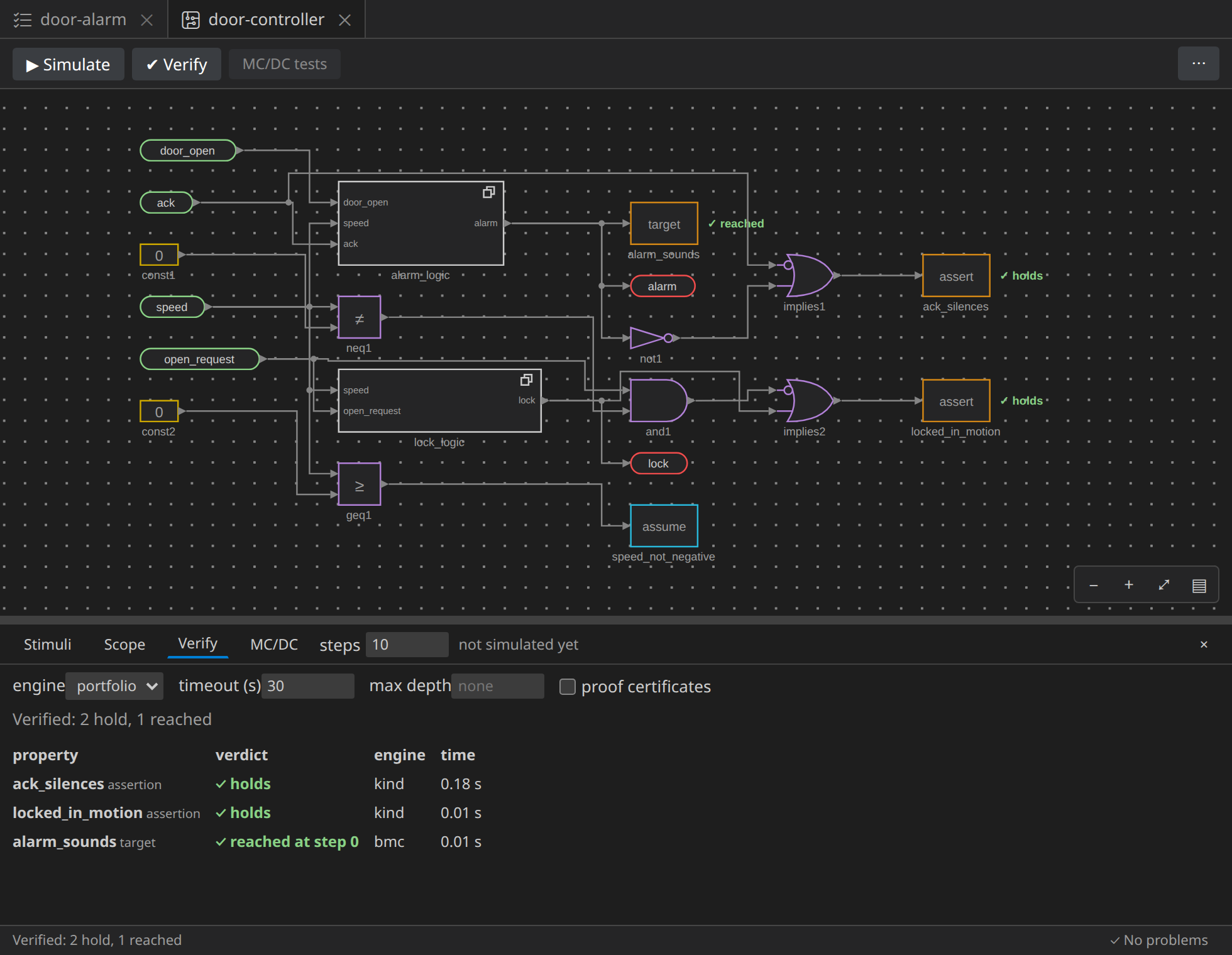
Both assertions hold: they are proved, for every input that keeps to the assumption, at every step, however long the run. The target is still reached, so the alarm can sound.
How Verify works
The engine in the Verify tab is the portfolio by default: it runs intrepid's engines side by side, and takes the first answer.
- bmc, bounded model checking, finds counterexamples, the shortest first;
- kind, k-induction, proves properties and finds counterexamples;
- br, backward reachability, and pdr, property directed reachability (IC3), prove properties with an inductive invariant.
The column engine says which one answered. timeout is the seconds each property may take; max depth bounds bmc and kind. A long run can be cancelled from its notification. These settings are saved with the circuit. Properties and verdicts says more.
Next: a proof you can check without trusting intrepid.