1. Requirements
A project usually starts from its requirements. The editors keep them in a requirements table: a row per requirement, each with an identifier, a title, its text as a reviewer reads it, and a formula, its logic, from which a circuit is built for it.
A table
In the Intrepid side bar, New in the title of Requirements (or the
command Intrepid: New Requirements Table). It asks where to keep the
table: save it as door-alarm.requirements.json in your folder, and it
opens as a table.
Project › Add the example writes the door alarm's table into the folder, with its first three requirements. (Project › New requirements table would start an empty one.)
The project already has the example's table: click door-alarm in the side bar.
In VS Code, add the first three requirements with + Add: a click in a cell selects it, Enter (or a second click) edits it, Enter applies, Tab goes to the next cell.
| ID | Title | Formula |
|---|---|---|
| DA-001 | Door open while moving | door_open and speed > 5 |
| DA-002 | Driver's acknowledgement | door_open and speed > 5 and not (ack or (pre(ack, 1) and pre(door_open, 1))) |
| DA-003 | Opening in motion | open_request and (speed > 0 or pre(speed, 1) > 0) |
Each formula says when the requirement's outcome is true: DA-001 when the
alarm must sound. pre(ack, 1) is ack one step before.
Now add a fourth one, in every form, with + Add:
- ID
DA-004, TitleLock on departure; - Requirement When the vehicle starts moving, the doors shall be locked at the next step.;
- Formula
pre(speed, 1) = 0 and speed > 0 => next(locked, 1).
The formula is checked as you type it: what it reads, or the mistake and
where it is. => is implies, and next(locked, 1) is locked one step
later. The formula language has the rest.
Signals
Below the requirements, Signals lists every name the formulas read.
A name not declared is a boolean; speed is a number, so give it a type:
pick int16 in its Type menu, and a description, the vehicle's speed,
in km/h. Describe the others too.
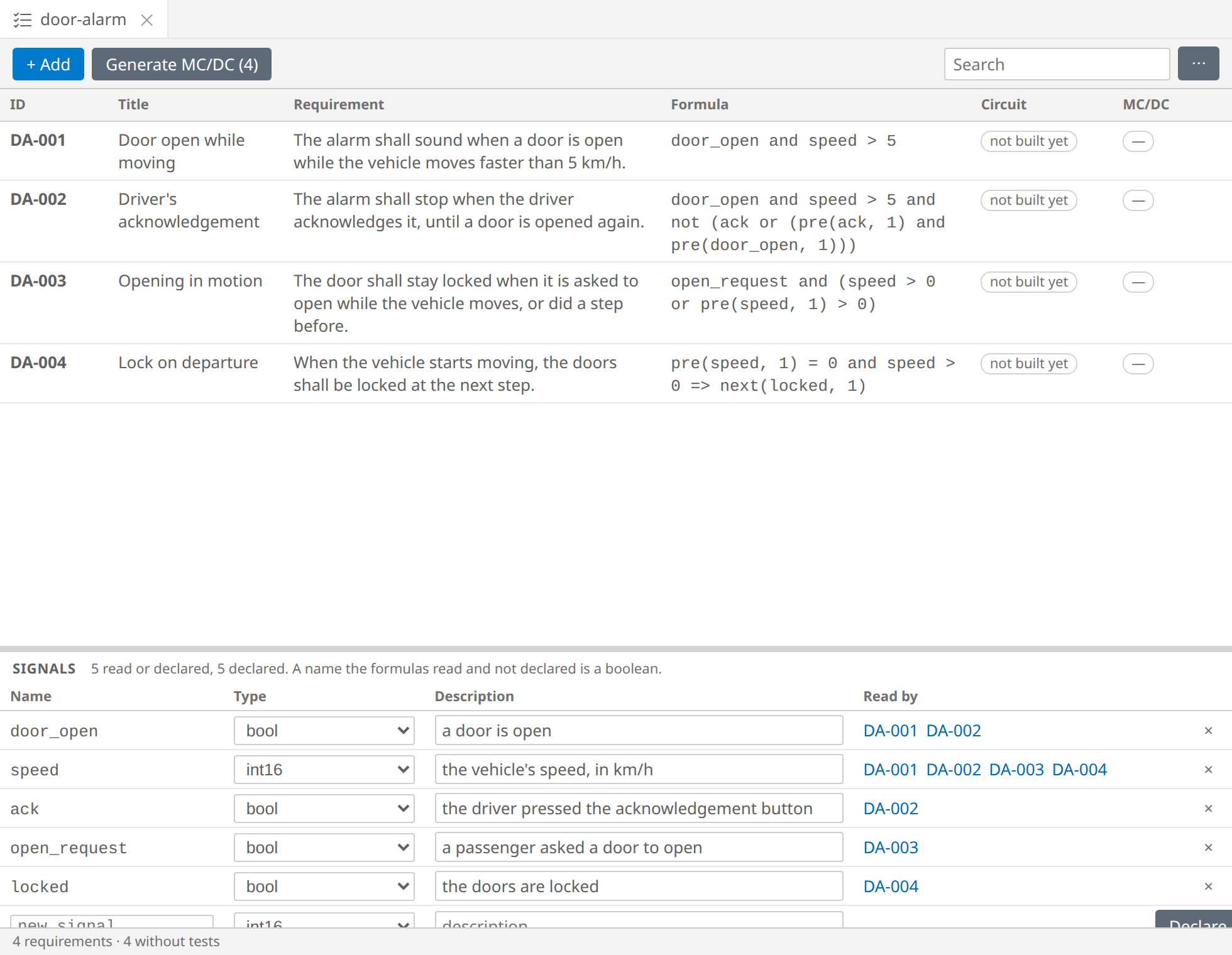
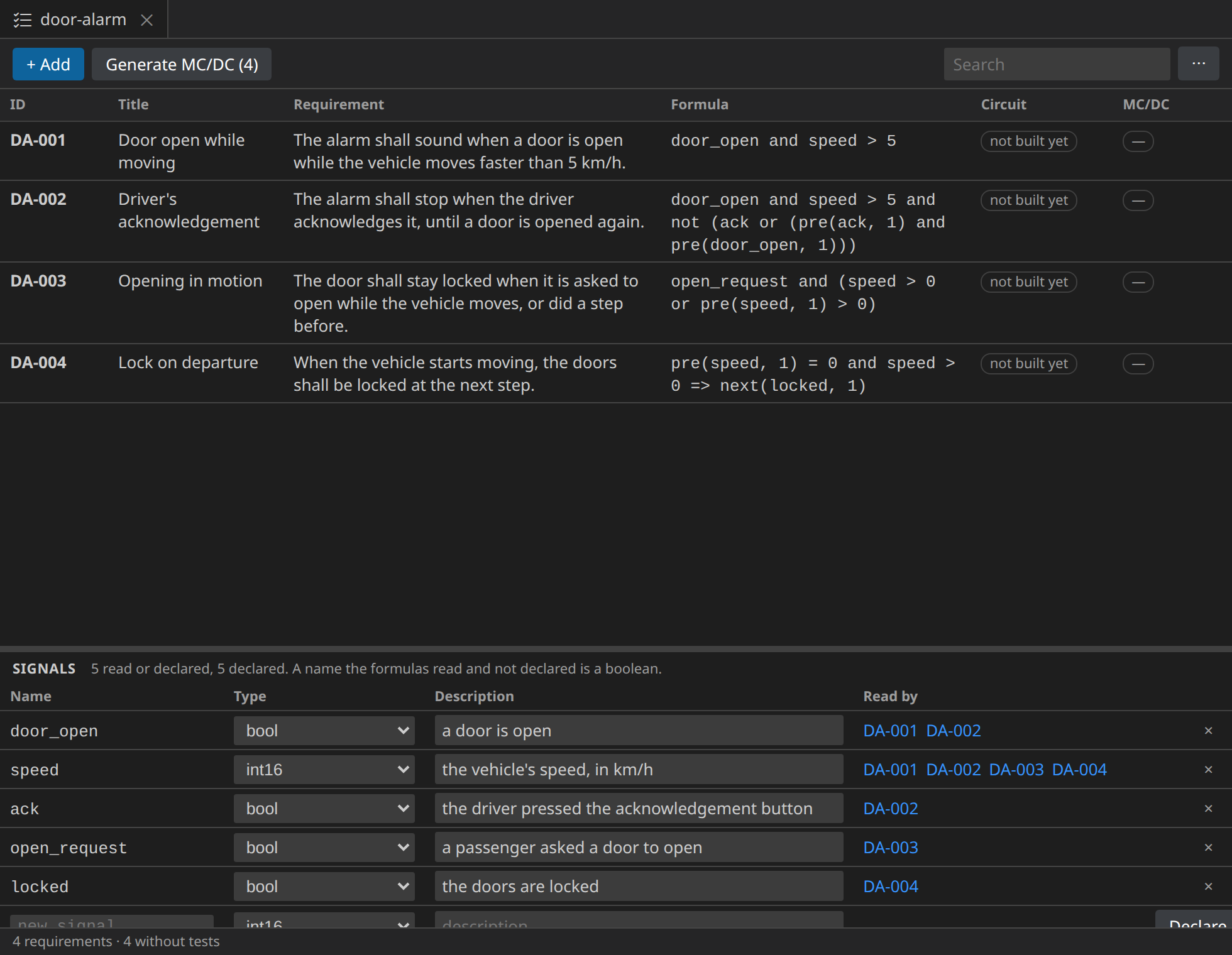
Read by shows which requirements read each signal; a click on one shows it above.
The circuit of a requirement
Double-click DA-002 (or select it and press Ctrl+Enter). Its circuit opens, built from the formula:
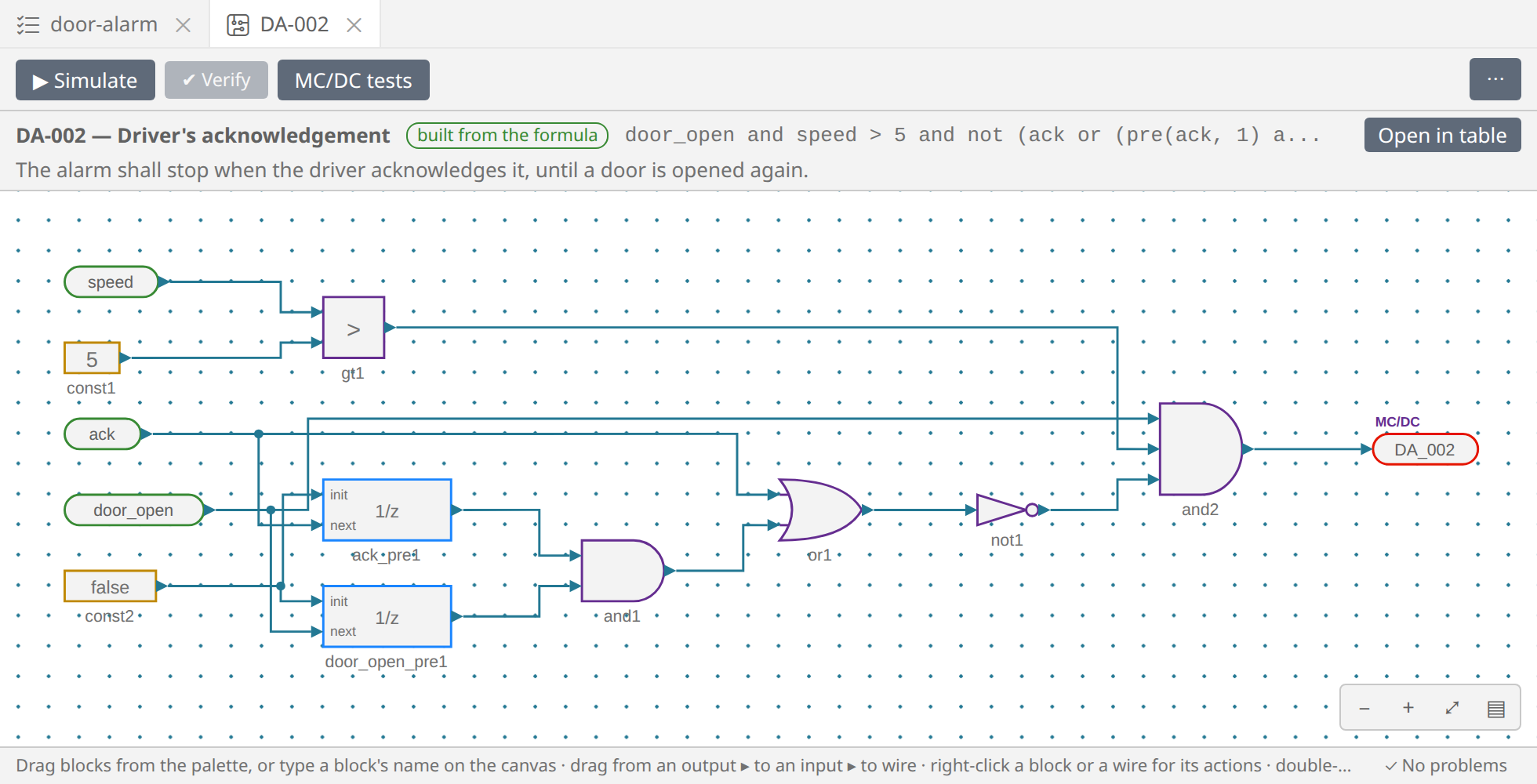
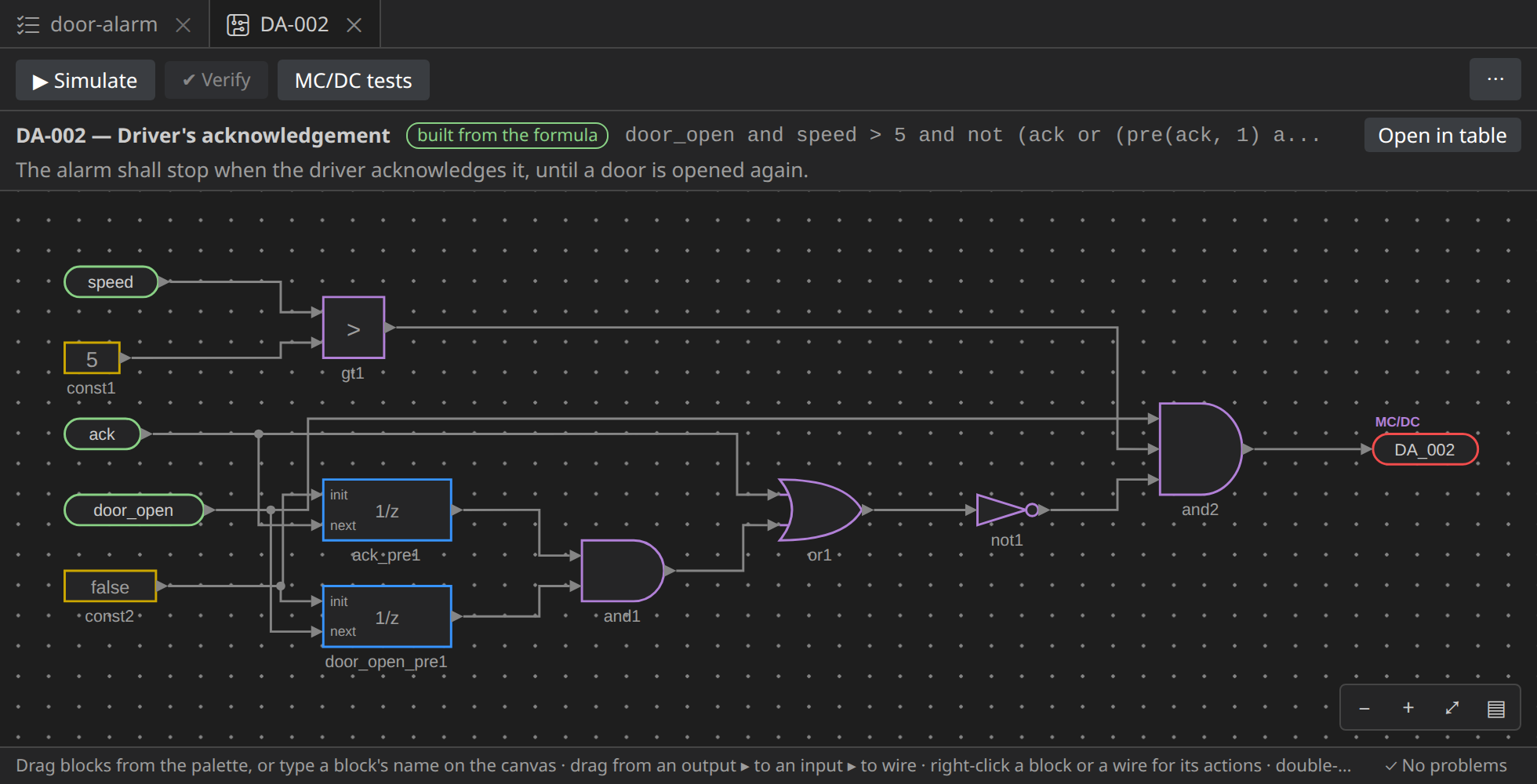
- each operator is a block:
anda gate with as many inputs as operands,>a comparison,notan inverter; - each name is an In block, once however often the formula uses it;
pre(ack, 1)isackthrough a Unit delay,ack_pre1, which holds the value of the step before (false at the first step); - the formula's value is the Out block
DA_002, marked MC/DC: the decision whose tests the editors generate.
The bar above the canvas says which requirement the circuit is, and that it is still built from the formula. The circuit follows its row: change the formula, and the circuit is built again. If you edit the circuit by hand, it becomes edited by hand, and no longer follows the formula until you build it again.
DA-004 looks ahead with next, and a circuit cannot read the future: its
circuit is built one step late. Its Out block at step s is the
requirement at step s − 1, which the bar says (1 step ahead).
The circuits are files too, in a folder named after the table:
door-alarm/DA-002.intrepyd.json.
What comes next
The requirements say what the alarm and the lock must do. In the next step we draw the controller that does it; later, in MC/DC tests, we come back to the table to generate the tests of every requirement.