7. The report
The requirements, their circuits and their tests, together in a document to print or hand to a reviewer: the requirements report.
In the requirements table, Report in the editor's title bar (or the table's ⋯ › Report…); Intrepid: Requirements Report does it for the table in front, or for every requirement of the workspace.
Project › Requirements report, or the table's ⋯ › Report….
Project › Requirements report, or the table's ⋯ › Report….
It asks which requirements to put in it (all, here), and, when some have no
tests or tests out of date, whether to generate them first. Then where to
save it (it suggests door-alarm-report.html). It opens in the browser.
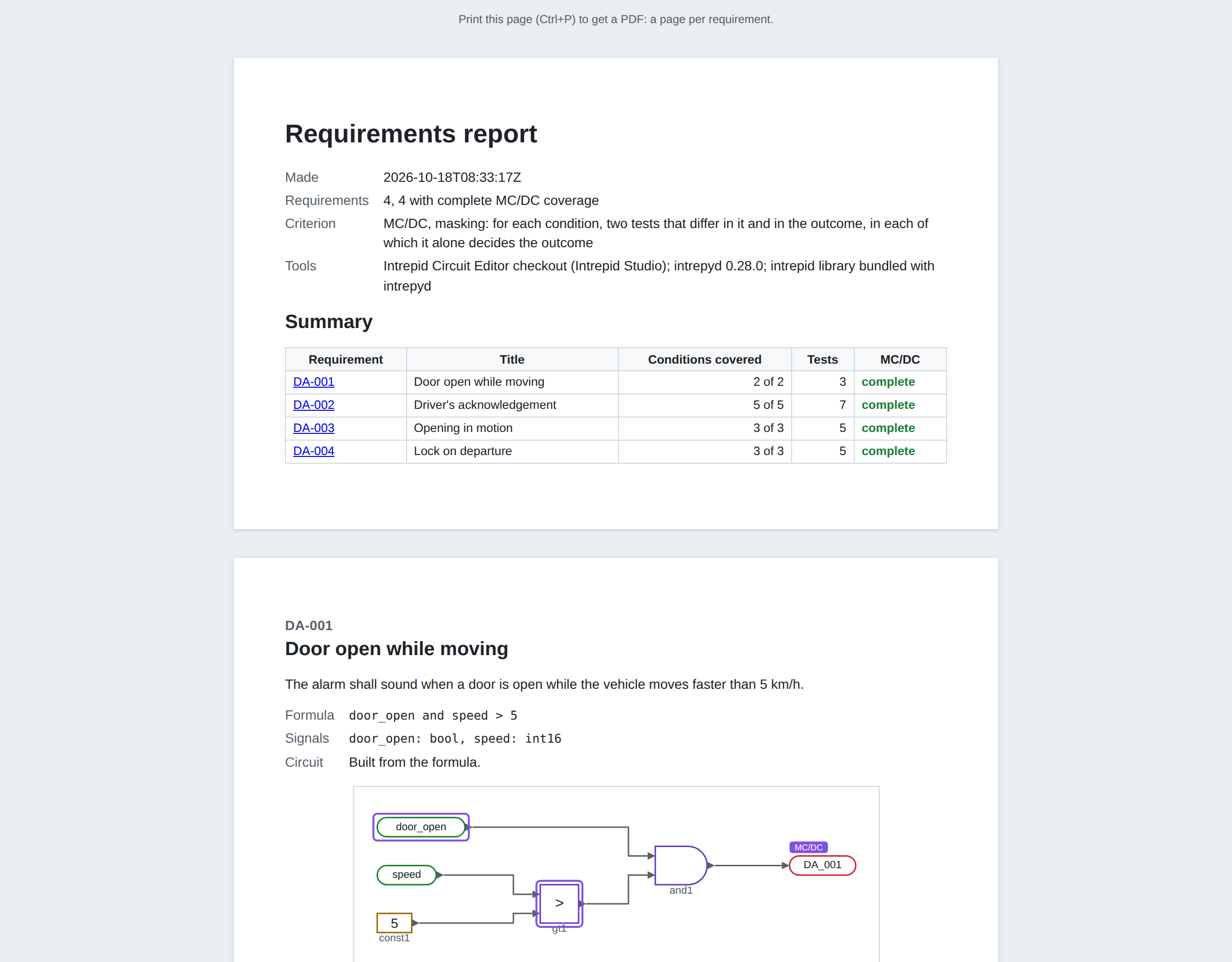
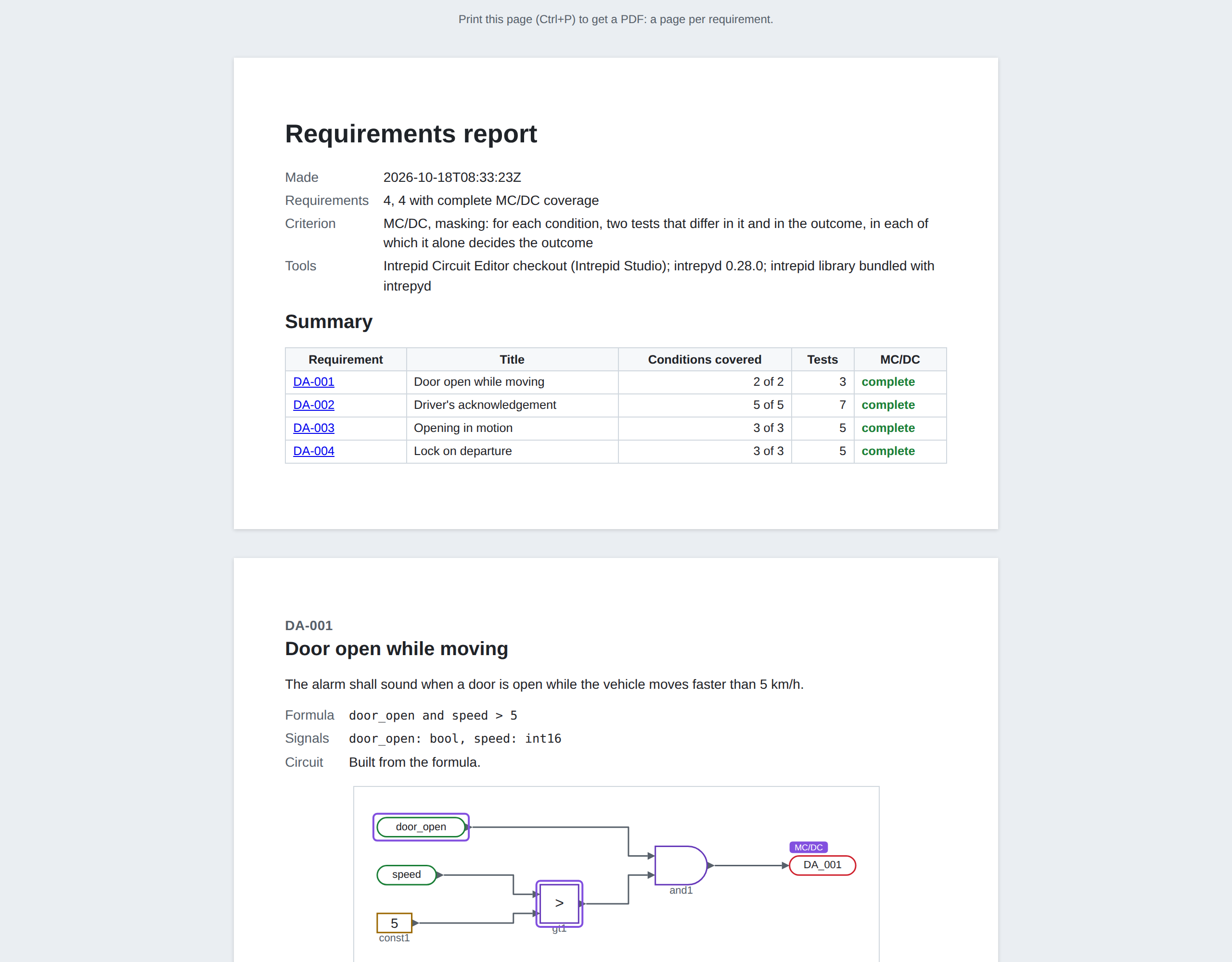
The report is one HTML file:
- its first page sums up each requirement's coverage;
- then each requirement has a page: its text, its formula, its circuit (the decision marked, its conditions outlined, a subsystem the walk goes into drawn too), the MC/DC table, the result in words, the tests' inputs step by step;
- each page ends with the circuit's file and its SHA-256: the page says exactly which circuit it is about, so a reviewer can tell a report out of date.
Print it to PDF from the browser. The tables, and the tests as CSV, are in a folder beside the report, for the test bench.
A circuit of its own (not a requirement's) has a report too: Report… in the circuit editor's ⋯ menu, with its MC/DC decision.
Next: the ways in and out.