3. Simulating
Before proving anything, try the controller on a story: a door opens while the vehicle is still, the vehicle leaves, the alarm sounds, the driver acknowledges it, the door closes and opens again, and the vehicle stops while a passenger asks a door to open.
Stimuli
Open the panel: the last icon in the corner of the canvas. Its Stimuli tab gives each input its value at each step. Set steps to 10, and fill the table:
| step | 0 | 1 | 2 | 3 | 4 | 5 | 6 | 7 | 8 | 9 |
|---|---|---|---|---|---|---|---|---|---|---|
door_open |
0 | 1 | 1 | 1 | 1 | 1 | 0 | 1 | 1 | 0 |
speed |
0 | 3 | 8 | 12 | 12 | 12 | 12 | 12 | 0 | 0 |
ack |
0 | 0 | 0 | 1 | 0 | 0 | 0 | 0 | 0 | 0 |
open_request |
0 | 0 | 0 | 0 | 0 | 0 | 0 | 0 | 1 | 0 |
A click on a boolean's cell flips it; a number is typed. The fill menu of a row writes a whole row at once: low, high, toggle, pulse, ramp, random. Stimuli kept in a spreadsheet come in with Import CSV…, in the tab's ⋯ menu: a column per input, named in the header, a row per step.
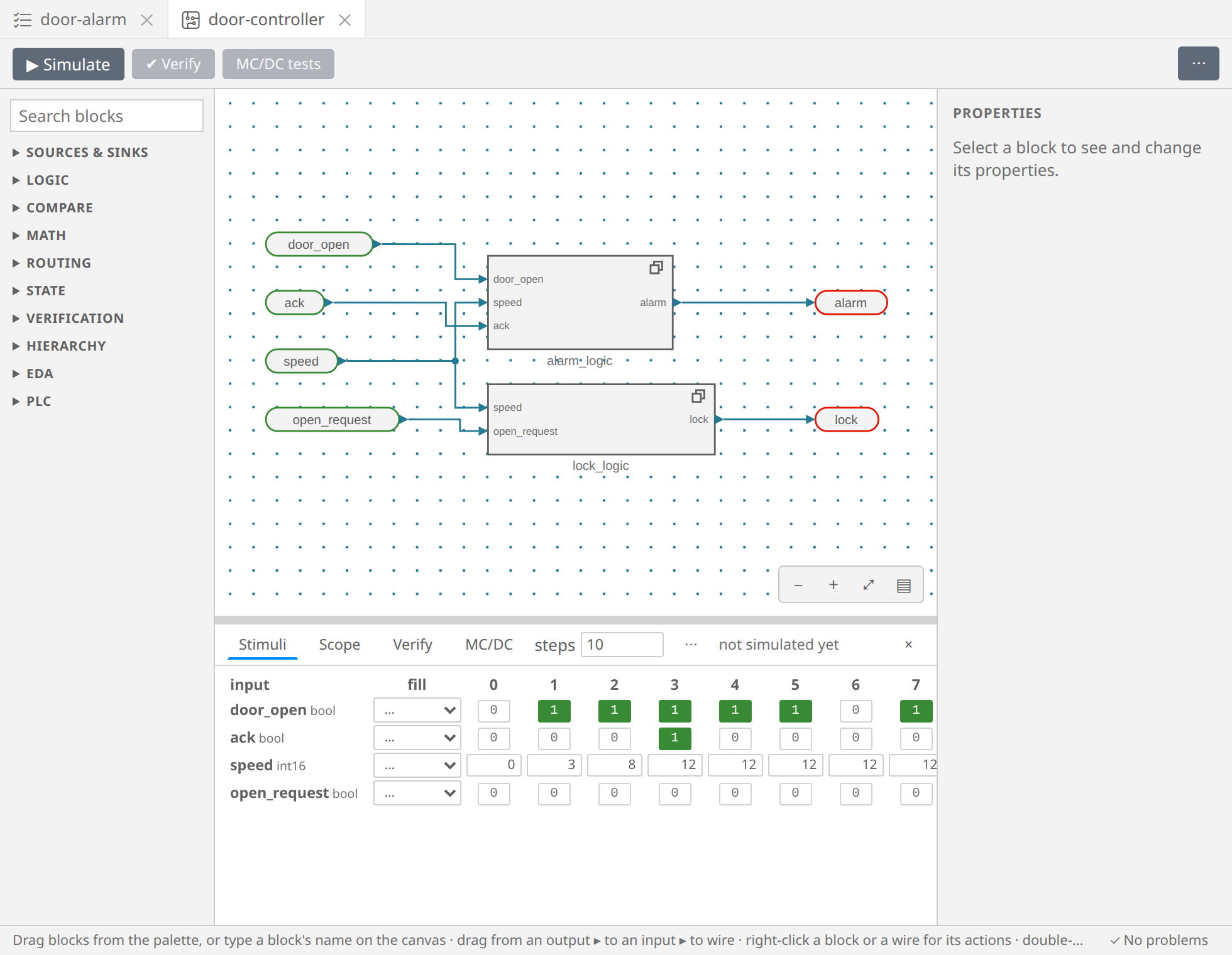
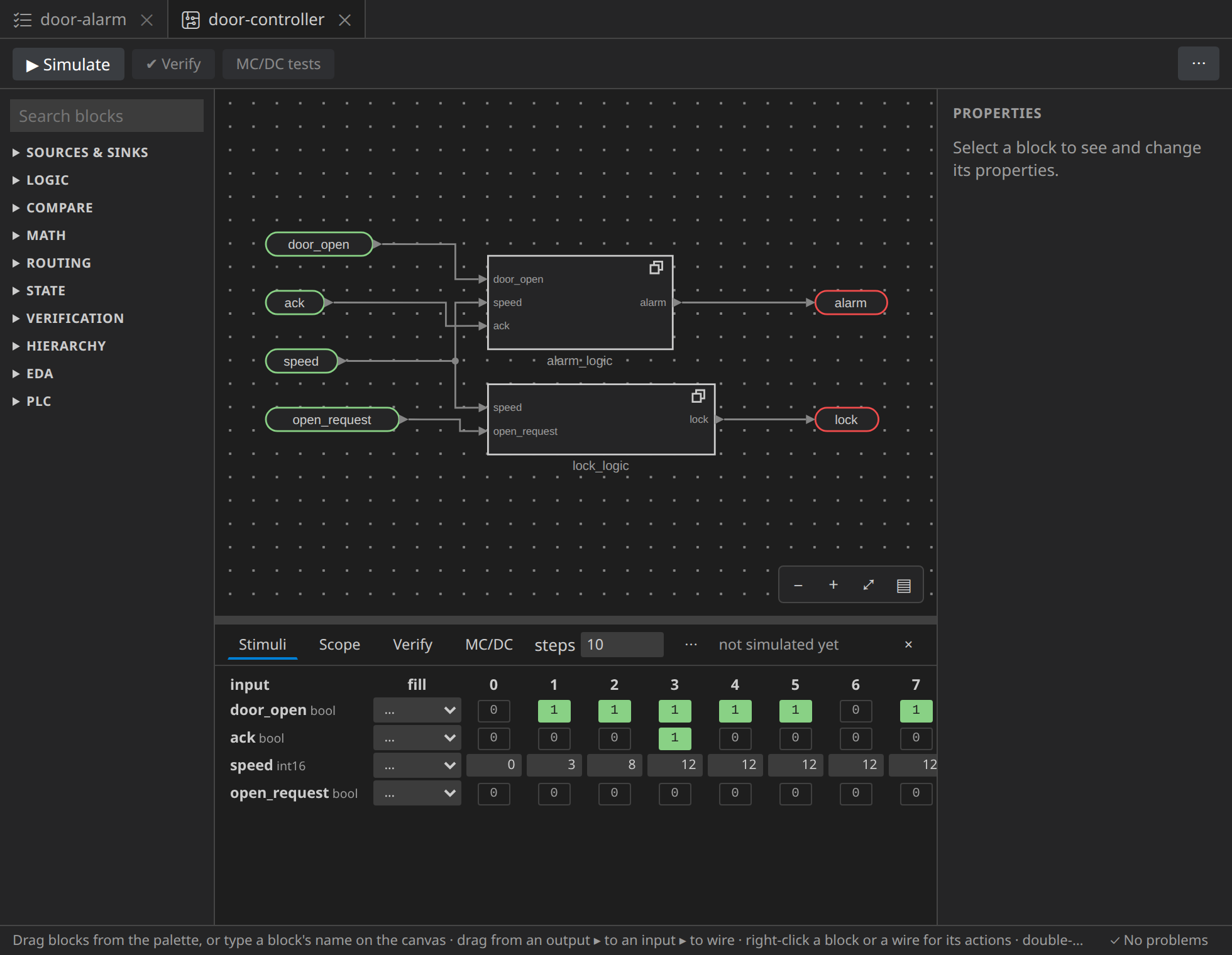
The stimuli are saved with the circuit, so the simulation can be run again later.
Running it
Press ▶ Simulate. Then:
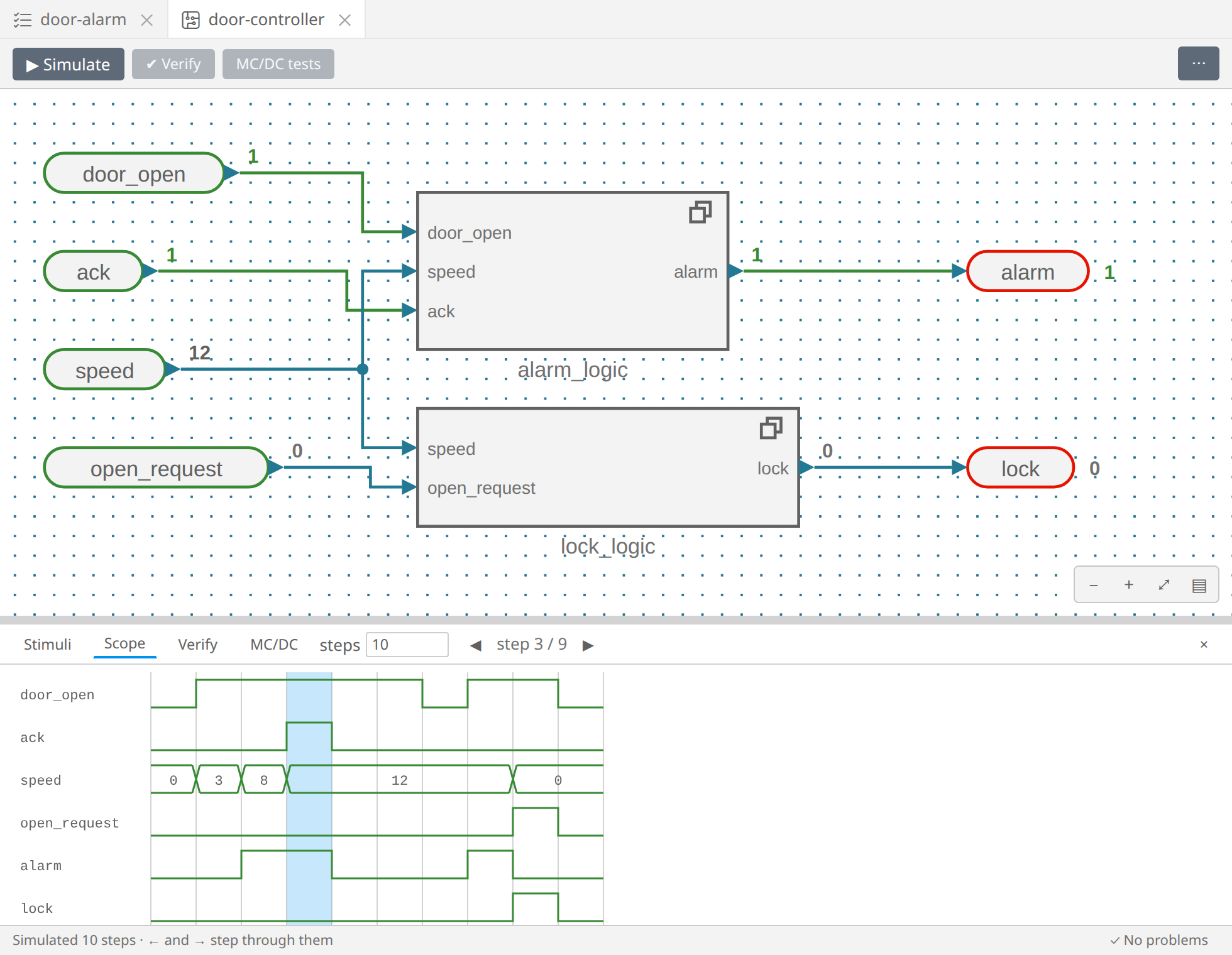
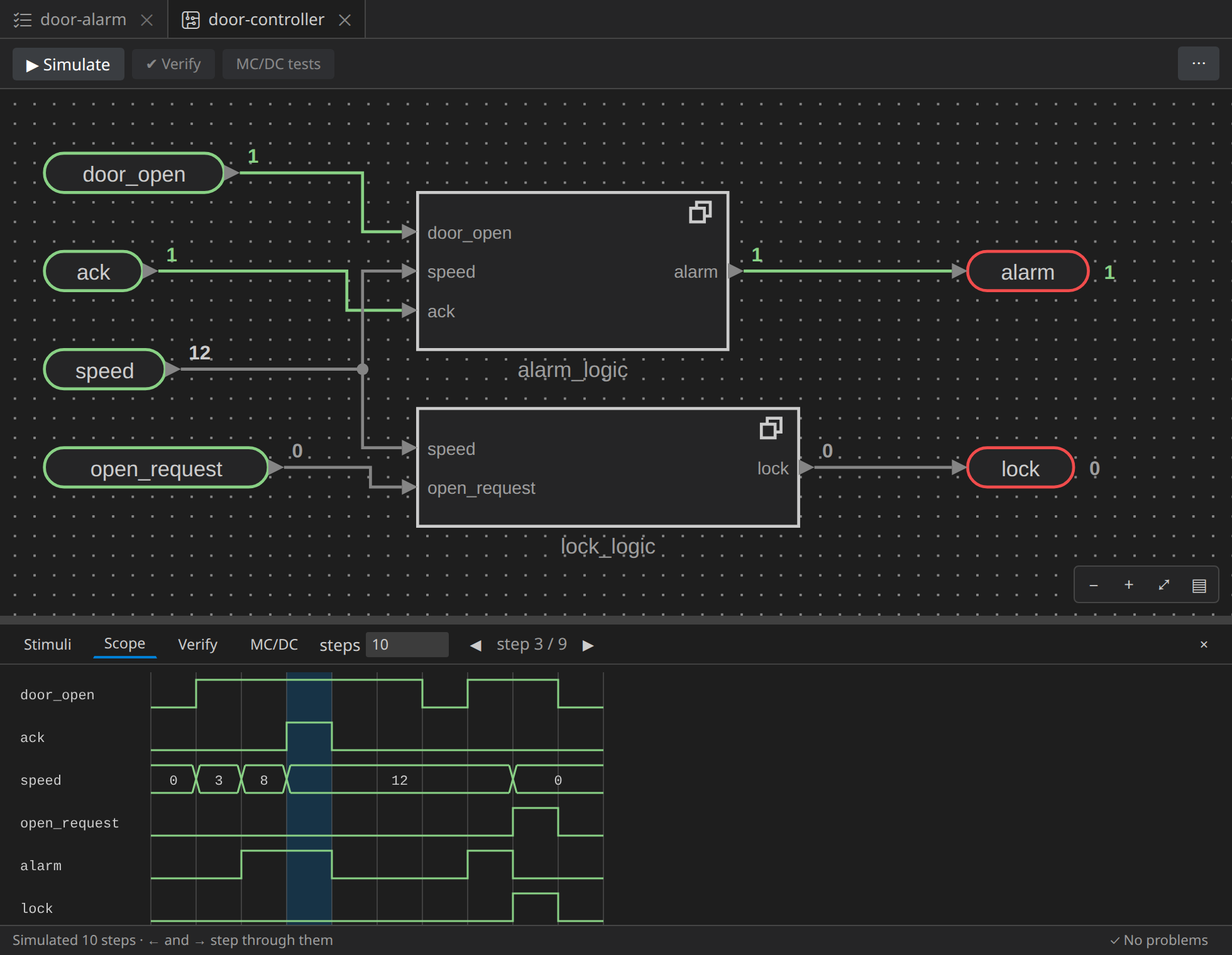
- each output's value at the current step is written by its pin, and the wires that carry true are drawn in green;
- the Scope tab draws the signals over time: the inputs, the outputs, and the blocks you mark Show in the scope in their properties;
- ← and →, or a click in the scope, move the step cursor; the canvas shows the values at that step.
Read the story in the scope:
- at step 2 the vehicle moves at 8 km/h with a door open: the alarm sounds;
- at step 3 the driver acknowledges, and the alarm still sounds; it stops at step 4, a step late. Keep this in mind: DA-002 says it shall stop when the driver acknowledges it;
- at step 6 the door closes, at step 7 it opens again at 12 km/h: the alarm sounds again, as DA-002 wants;
- at step 8 the vehicle has stopped, and a passenger asks to open: the door stays locked, since the vehicle moved a step before (DA-003).
A simulation shows what happens on these inputs. Whether something holds on every input, at every step, is what verification answers. Next.